The Google Docs SOPs and Templates

The Google Docs SOPs and Templates

We use Google Drive for our SOPs, our templates, and for sharing data with our clients.

You can use any system you'd like, but for our purposes with this training (and in our own agency), we find that it's the best system to use because:

  • Google Drive has almost universal acceptance and availabilty

  • Most clients are already familar with Google Docs so there is very little barrier to aceceptance

  • Very little, if any, training required for the client to use Google Docs to participate in the process and give us the information and feedback we need

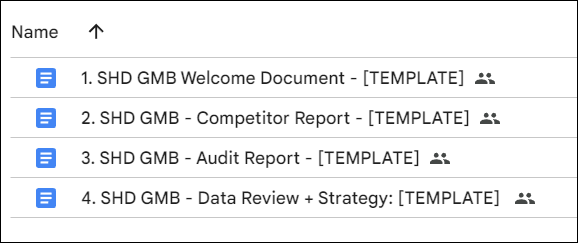
List of Included Worksheet Templates:

  1. Welcome Document Template

  2. Competitor Report Template

  3. Audit Report Template (we use BL to generate a Local Search Audit report which you do not need to use*).

  4. Data Review and Strategy

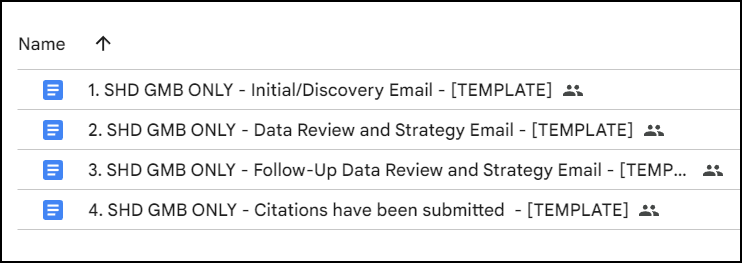
List of Included Email Templates:
Local SEO Process Training for Agencies

Buy nowLearn more

IMPORTANT UPDATES

  • UPDATED Main SOP Link
  • Update: 2024.10.13 - Google My Business Questionnaire PDF now available
  • Update: 2024.10.24 - The Bright Local "Local SEO Report" Links and Website Authority section explored

Introduction

  • START HERE
  • The Google Docs SOPs and Templates
  • Bright Local and Included Templates
  • Accessing the Worksheets and Templates
  • Local-SEO-Course-START-HERE-PART II1
  • Basic Google Business Profile Setup

Google Business Profile Optimization Campaign

  • GMB 000 and 0001: Introduction, Onboarding and the Template Folder Structure
  • GMB 002: Competitor Audit
  • GMB 003: Google Business Profile Audit Part I
  • GMB 003: Google Business Profile Audit Part II
  • GMB 004: Report Summary and To-Do/Follow-Up List

Citation Building Campaign

  • GMB-005-Citation Campaign Part I.mp4
  • GMB-006-Citation Campaign Part II.mp4
  • GMB-007-Citation Campaign Launch.mp4
  • GMB-008-Citation-Campaign-Follow-Up.mp4